The terminal with an AI agent: SSH, files, remote desktop, Docker and virtual machines in one free app, built by our Hostealo team.
SSH, files, remote desktop, Docker and virtual machines in one app, with an AI agent that does the work on your servers, step by step and with your permission. It warns you when something goes wrong, and your servers are on all your devices without going through any cloud.
The demo is the real app with simulated data: it connects to nothing.
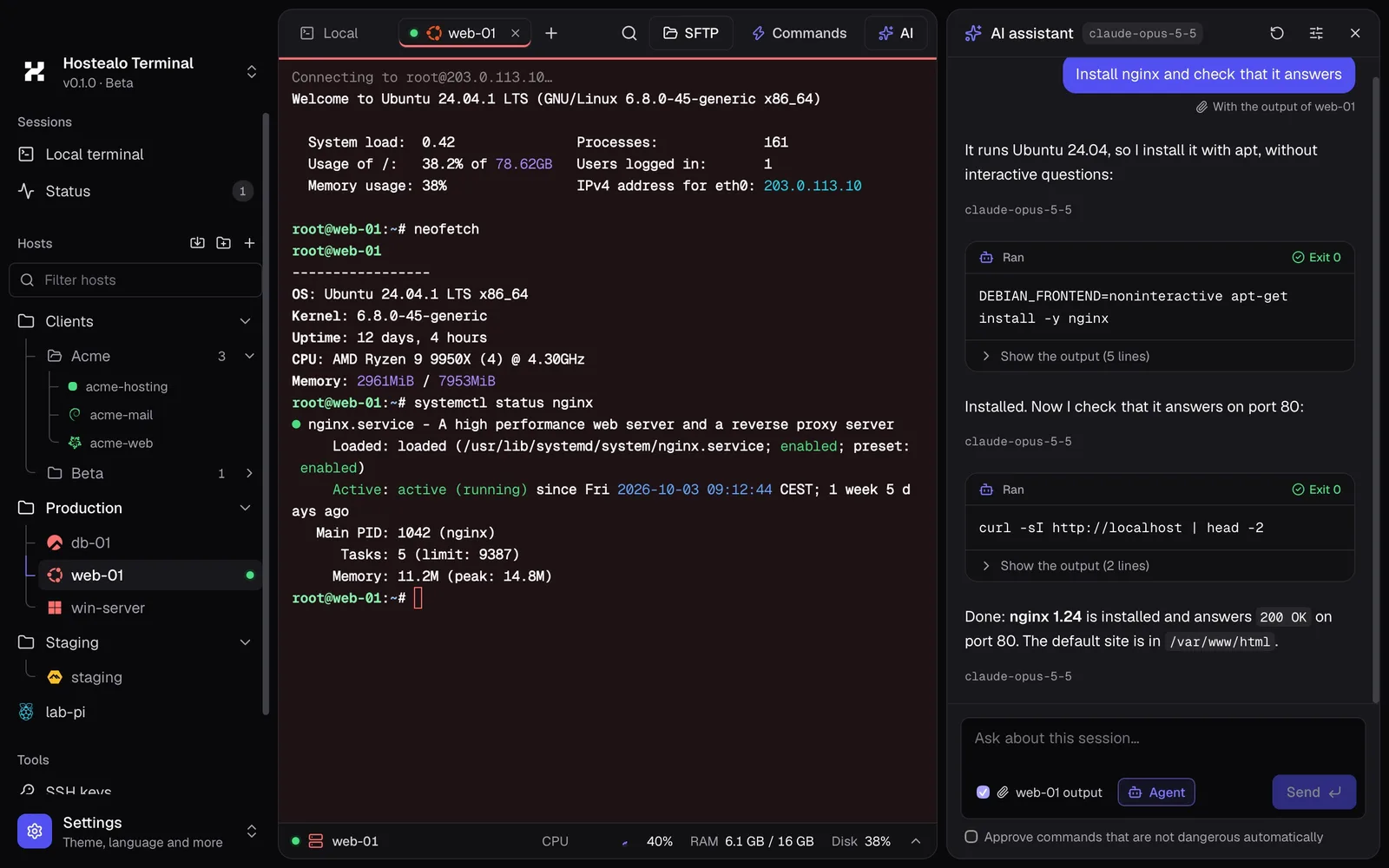 Try it without installing
Terminal, files, remote desktop, containers and virtual machines, with one design and your servers in one place.
The server's CPU, memory, disk and network live under the terminal, with nothing installed on it. And the output is colored automatically: IPs, errors, dates.
Your computer on one side and the server on the other, as in FileZilla. Drag to upload or download, with parallel transfers.
Fills the window with no black bars, with sound on your Mac, a file clipboard and one of your folders as a drive.
Containers by Compose project: start them, stop them, watch their live logs or open a shell inside.
The node's virtual machines with their state and resources. Power them on, shut them down or open their console.
Every server you are connected to in one tab, and an alert if a disk fills up or a session drops.
Save the commands you repeat and run them on any server with ⌘P. They sync to your other computers.
Organize by customer. The tab takes the server's color, so you never type in production thinking it's staging.
Import your servers from MobaXterm, Royal TS, PuTTY, FileZilla or OpenSSH, with their folders. And manage your SSH keys.
Real recordings of the app.
“Install nginx and check that it responds.” The assistant checks which system your server runs, proposes each command, runs it when you allow it and reads the result before moving on.
⌘K searches your servers, open tabs, commands and the app's actions. ⌘P opens your quick commands to run them in the session. On Windows and Linux, use Ctrl.
As in FileZilla, with Hostealo's design: drag between panes to upload and download, with several transfers at once and their progress in view. Also on Windows servers with OpenSSH.
From the menu of any server, over the same SSH connection and with the tools it already has. No API to enable and nothing to install.
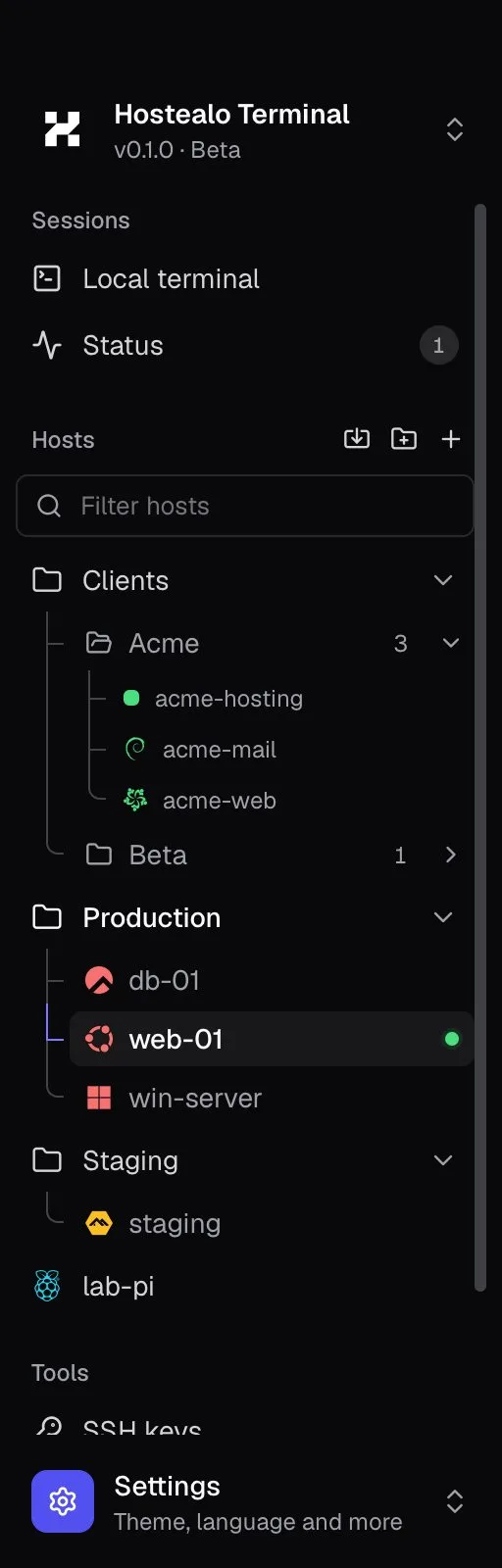
Connect your account once and your VPS and dedicated servers appear in the sidebar on their own, with their system's logo and an IP that is always current.
A terminal holds the keys to your servers. That's why its code is public and your secrets never leave your computer.
For your system, no sign-up. If you're a Hostealo customer, connect your account when you open it.
Full product page →Hostealo Terminal is a free app for Mac, Windows and Linux that brings together everything you use to manage servers: SSH terminal with a resource monitor, SFTP and FTP file manager, RDP remote desktop, Docker, Proxmox and KVM virtual machines, alerts and an AI assistant that works with your permission. We build it at Hostealo, our infrastructure brand, and its source code is public.
Yes. The app is free and its code is public. You only pay, if you want, for the AI provider you connect; you can also use your Claude subscription or a local model with Ollama.
No. It works with any server. If you are a customer, you can connect your account and your VPS and dedicated servers show up on their own, with their IP kept current, and you can power them on, shut them down, reboot them or reset their root password from the app.
In your system's keychain (macOS Keychain, Windows Credential Manager or Secret Service on Linux). The app never writes them to its files or sends them anywhere.
Only if you want it to. By default it suggests commands that you insert or run with a click. In agent mode it runs the steps itself, but every command asks for your permission first and dangerous ones are flagged.
No. The resource monitor, alerts, Docker and virtual machines use the same SSH connection and the tools the server already has (docker, pvesh or virsh). No agents to install, ports to open or APIs to enable.
Yes: MobaXterm, Royal TS and TSX, PuTTY, FileZilla, the ~/.ssh/config file and .rdp files, with their folders. Those programs' encrypted passwords are not imported; the app asks for them when you connect.
The code is public under the Functional Source License (FSL): you or your company can read, audit, modify and use it for anything except building a product that competes with it. Every version becomes Apache 2.0 licensed after two years.
